On this page
- Separate people administration, delivery and payroll
- 1. Build a dependable member directory
- 2. Define schedules before tracking attendance
- 3. Make leave a traceable decision
- 4. Give access according to responsibility
- A rollout for ten people
- Which reports help a manager?
- Cost and when another system is needed
- Frequently asked questions
A small remote business needs reliable people records, clear responsibilities and permissions, working schedules, leave handling and a fair way to follow delivery. It does not automatically need a record of every employee movement. Employee management software should remove ambiguity and administrative work without turning online presence into a productivity score.
This guide uses HyoNova's published capabilities and real demo captures from production version 87663bba1 on 28 October 2026. The ten-person example is a proposed rollout, not research conducted on actual employees.
Separate people administration, delivery and payroll
Area | Question it answers | Important boundary |
|---|---|---|
People | Who works here, in which department and role? | A directory entry should not grant unrestricted access |
Work | Who owns a deliverable, when is it due and what blocks it? | Task count alone does not measure quality or complexity |
Attendance and leave | What schedule and approved absence apply? | Virtual-office presence is not complete evidence of work |
Payroll | What pay, deductions and local obligations apply? | Use suitable payroll expertise or software; HyoNova People is not payroll |
1. Build a dependable member directory
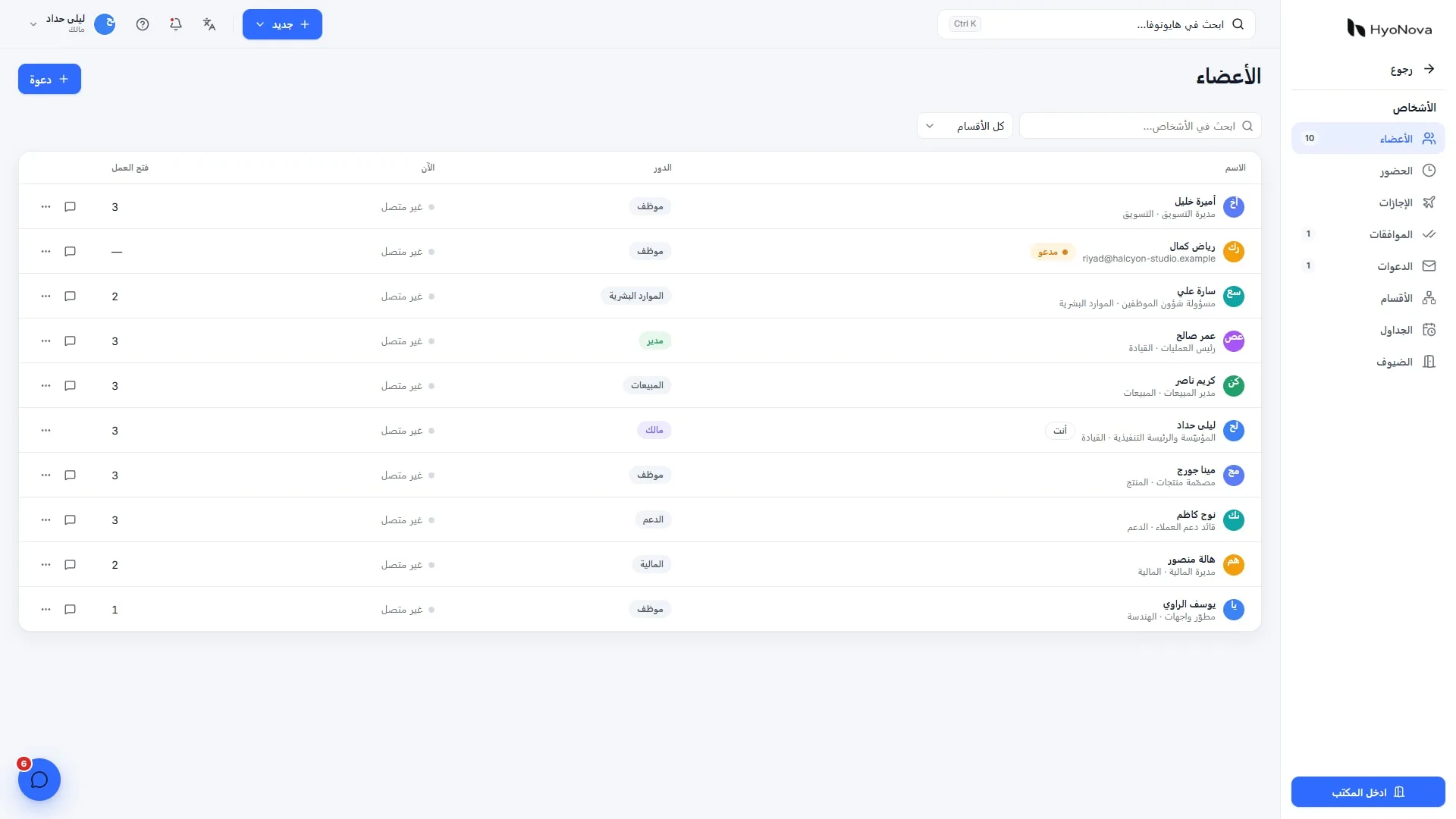
Record relevant job titles, departments, reporting managers, work locations, employment types and start dates. Assign responsibility for keeping records current and record department or role changes. Do not collect information simply because a field exists.
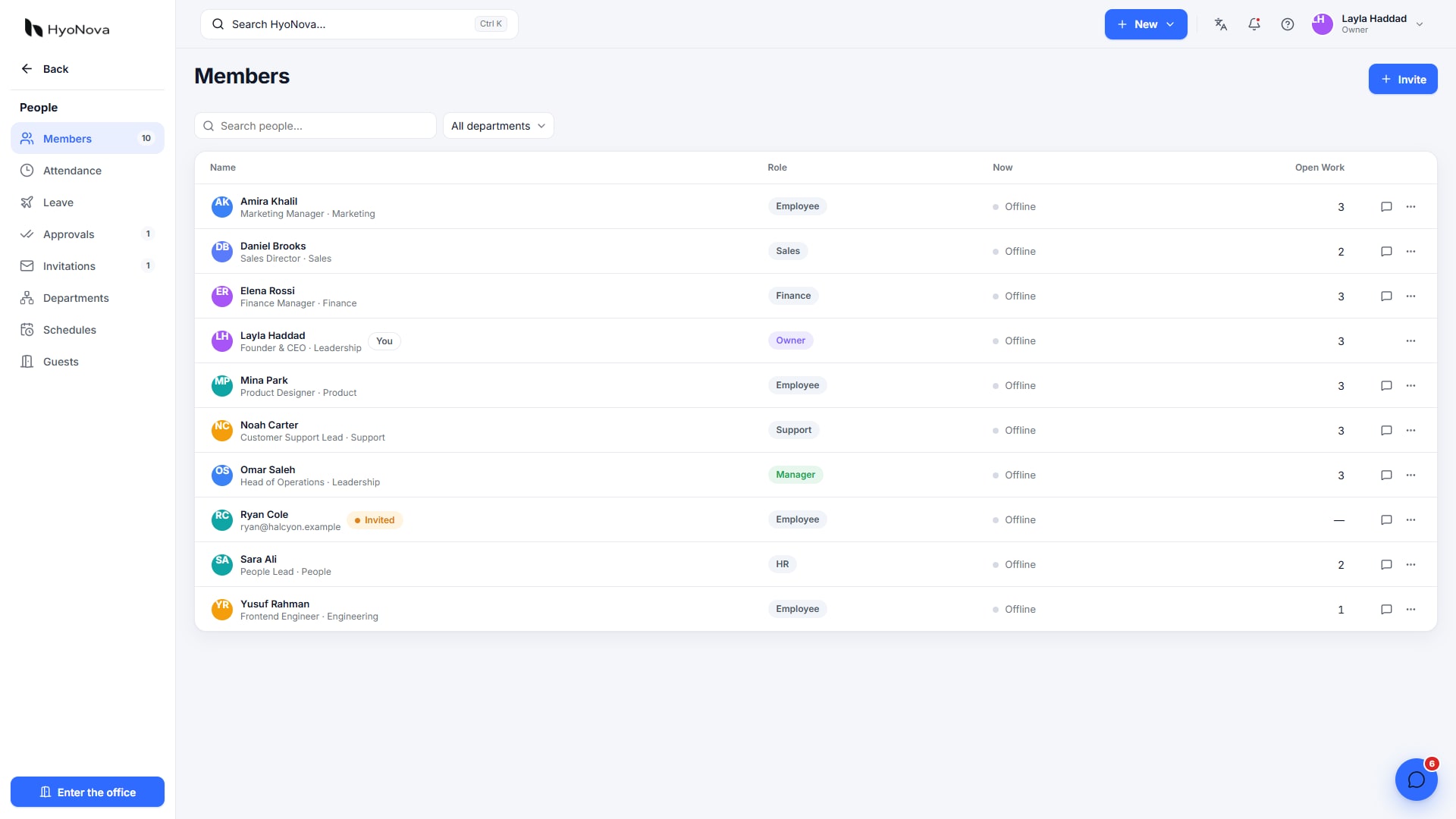
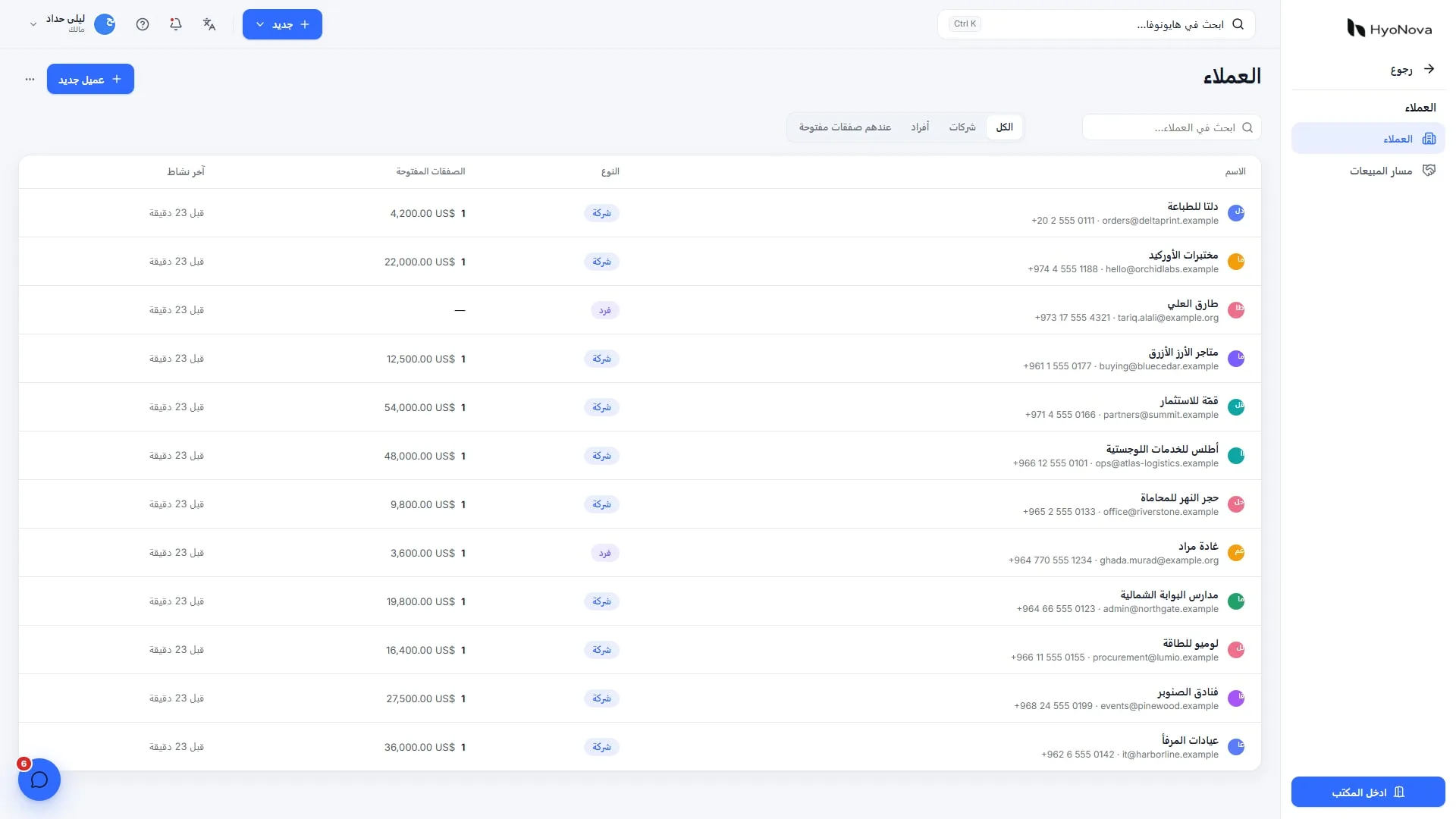
Actual product capture from a local demo on production version 87663bba1, captured on 28 October 2026. Fictional data.
Departments should reflect who approves requests, not only an organization chart. Name a department head and a cover arrangement. Employees need to know where to get help; managers need appropriate visibility without unnecessary access to other teams' records.
2. Define schedules before tracking attendance
Set working days and hours, part-time or shift arrangements, and holidays before generating attendance reports. For distributed teams, specify the reference time zone and a limited, agreed overlap for meetings. Keep work that does not need a meeting asynchronous.
The published HyoNova People workflow describes opt-in attendance based on office entry during scheduled hours and departure. It does not record outside working hours or automatically deduct pay or leave. Explain those limits. A designer or support specialist may complete legitimate work outside the virtual office, so provide a correction process with reasons and approval.
3. Make leave a traceable decision
Configure the leave types actually used, such as annual, sick and unpaid leave, with balances and working-day rules. A member requests leave, a manager reviews it, and the decision remains visible. Pending does not mean approved. Sensitive health information should not become a public task comment.
Check upcoming absences against delivery responsibilities and designate cover. The purpose is to plan capacity while respecting company policy and applicable obligations. Software does not determine employment-law interpretation.
4. Give access according to responsibility
HyoNova has Owner, Admin, Manager, Employee and Restricted roles plus custom roles. Avoid granting Admin to solve a minor setup problem. A support agent needs the relevant ticket and customer context; a finance worker needs authorized financial records. Neither automatically needs every employee file.
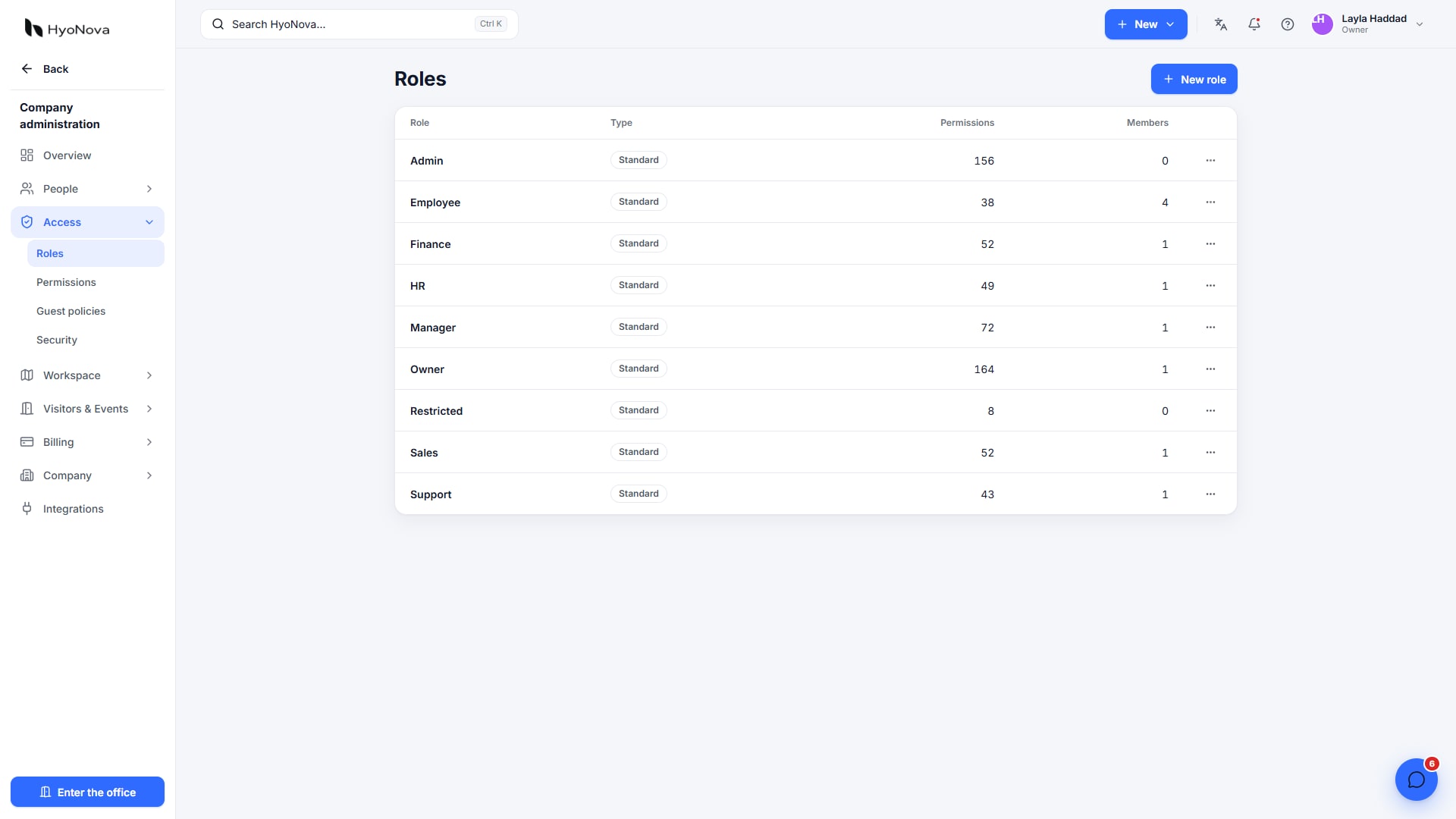
Actual product capture from a local demo on production version 87663bba1, captured on 28 October 2026. Fictional data.
A rollout for ten people
Before inviting: designate the owner, setup administrator and necessary managers. Map everyone else to their work and test a restricted account.
Records: configure departments, titles, reporting lines, schedules and holidays. Have each person check their details.
Leave: run fictional approval, rejection and absent-manager cases. Show employees where decisions appear.
Delivery: create a small project with a clear accountable owner, deadline and acceptance condition for each deliverable, even when tasks have several assignees.
Review: test an attendance correction, a report export and removal of a test member. Invitations alone are not rollout success.
Which reports help a manager?
Start with pending requests, upcoming leave, attendance corrections and overdue work with its explanation. Restrict reports to authorized readers, and decide why an export is needed, who keeps it and how long. A CSV export is another independent copy to protect.
Ask about obstacles before judging a person from a number. Compare similar work and review quality, deadlines and feedback. Avatar movement, clicks and connected hours should not replace a considered performance discussion.
Cost and when another system is needed
Free supports up to ten members, including seat use by pending invitations. Check office, meeting and storage limits in current plans. Use additional systems for payroll calculations, tax, benefits or specialist local policies. If procurement requires specific security certifications, review actual evidence separately.
Frequently asked questions
Should attendance start on day one?
Define purpose, policy and recording boundaries first. A pilot can start with the directory, work and leave, adding attendance with the team when it serves an explicit need.
What matters when an employee leaves?
Remove access, reassign ongoing work and review shared links and connected systems. Disabling one account does not necessarily terminate every session in outside tools.
Explore People and Work, and read the published security limitations before adding sensitive records.