
What is the Digital HQ?
A shared 3D office in Nova World. Every member has a character, a status and a place to work, meet and talk.
Nova World gives your company a 3D virtual office: see who is around, walk over to talk, meet in rooms and open your work without leaving the office.
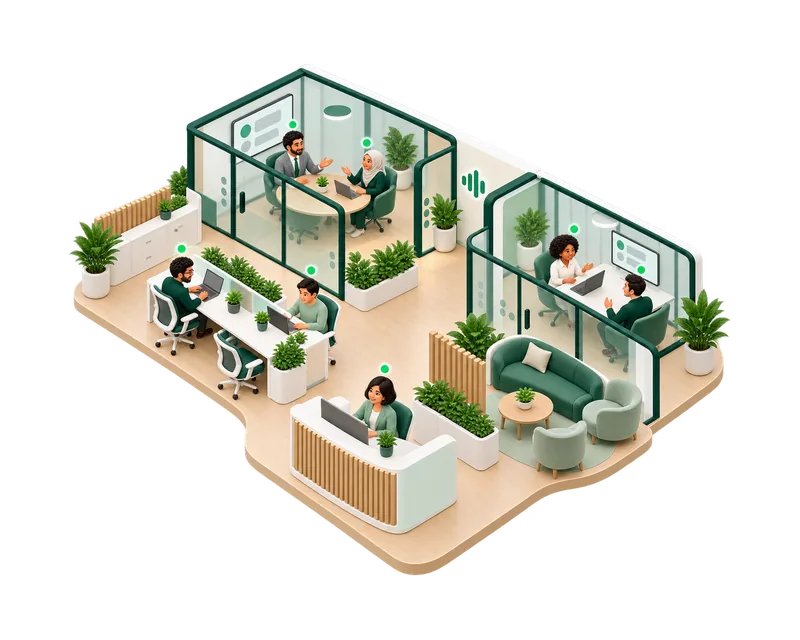
A shared 3D office in Nova World. Every member has a character, a status and a place to work, meet and talk.
Teams that work apart but want to turn to a colleague, see who is free and meet without scheduling every conversation.
A computer with a modern browser or the HyoNova app for Windows or Mac, and a microphone for voice.
The useful parts of a real office, without the commute.
Start from a HyoNova office design or an empty floor, then make it yours.
Status dots and nameplates show who is available, away or in Do not disturb.
Walk up to colleagues to talk. Distance and walls keep conversations private.
Rooms have a type and a capacity. Choose Meet here to start a meeting in a meeting room.
Sit at a desk, open doors, and see shared screens on the room’s displays during a meeting.
Open tasks, chat and the company workspace from the office, and give a project its own room.
Give the office floor the shape that fits your team, not just a rectangle.
Each person picks a look, clothes and colors that colleagues see in the office.
Draw walls and rooms, place furniture and publish the new office to your team.
Your logo and company name appear while the office loads.
Pick a HyoNova office design when you create your company.
Members join by email invitation and choose their character.
Owners and admins arrange rooms and furniture in the builder, then publish.
See who is free, walk over to talk and meet in rooms.
Free includes one office world. Basic includes 5 worlds and the builder; Business includes 20.
Short conversations happen by walking over, not by booking another call.
Statuses help people choose when to reach out. HyoNova does not score anyone’s activity.
Tasks, chat, meetings and customers open beside the office, not in another app.
No. Everything also opens in the company workspace in your browser. The office is where your team meets.
Yes, on paid plans. Visitors enter only the areas you allow and use a visitor pass. See HyoNova Visitors.
Yes. Owners and admins edit it in the builder on paid plans and publish it for everyone.
A virtual office is where a remote team meets online. HyoNova’s Digital HQ is a 3D virtual office that also holds your work: tasks, chat, meetings and customers open from inside it.
Each office design has its own capacity for people inside at the same time. Larger companies spread their teams across several office worlds.
Sign up on your phone, then enter the 3D office from a computer or a tablet, in the browser or the Windows and Mac apps.
Start free with one office world and invite your team.